


Sie können direkt über Webmail auf Ihr E-Mail-Konto zugreifen.
1. Öffnen Sie http://example.com/webmail, ersetzen Sie example.com durch Ihren Domainnamen, geben Sie Ihre vollständige E-Mail-Adresse und Ihr Passwort in die Benutzeranmeldedaten ein und klicken Sie auf Anmelden.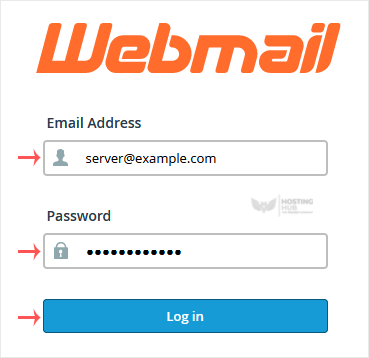
2. Klicken Sie auf der Webmail-Seite von cPanel auf einen beliebigen Webmail-E-Mail-Reader wie Horde, Roundcube oder eine andere verfügbare Anwendung.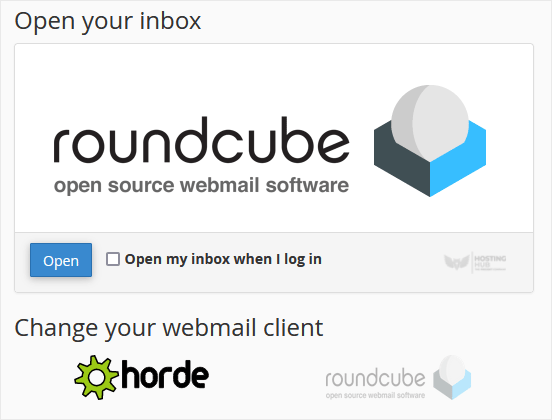
Verwenden Sie den Webmail-E-Mail-Reader, um Ihre E-Mails zu lesen.
Most Popular Articles
How to Create an Email Autoresponder When You Are on Vacation
If you are on holiday or you will be unavailable for a few days or a month, you can create an...
How to Access Email from cPanel Webmail
You can access your Email account directly from Webmail.1. Open http://example.com/webmail,...
How to Change an Email Account's Password in cPanel
You can change your email account's password through the following steps: 1. Log in to your...
How to Create an Email Account in cPanel
To create a new email address, perform the following steps: 1. Log in to your cPanel account....
How to Forward an Email to Gmail or Other Email Service Providers
How to forward an email? 1. Log in to your cPanel account. 2. In the Email section, click on...

