


1. Log in to your DirectAdmin Account.
2. In the Account Manager section, click on MySQL Management or type MySQL Management in the navigation filter box. The option will appear. Click on it.
3. From the list of databases, choose the database of your choice. You can choose multiple databases for examining or optimizing them.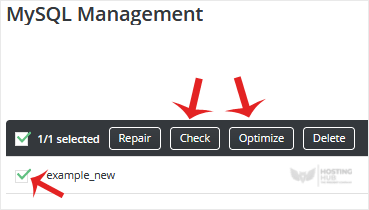
4. Click on Check to examine or go for Optimize to optimize your database.
A report will display after the database is examined or optimized.

