1. Log in to your cPanel account.
2. In the Databases section, click on MySQL Databases.

3. Under Current Databases, you can see a list of all your databases. Locate the Database and then click on Rename.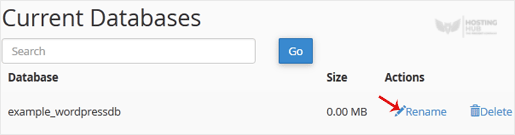
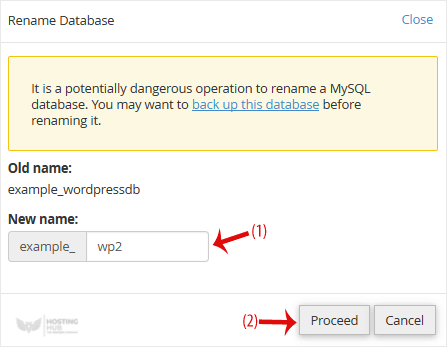
4. Change the database name and click on Proceed.