If you want to remove the WordPress category, then follow this instruction:
1. Log in to the WordPress dashboard.
2. From the Dashboard menu, go to Posts and click on Categories.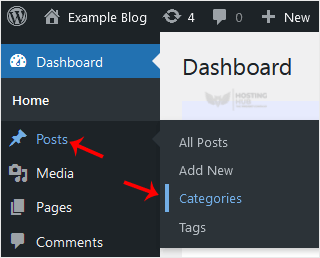
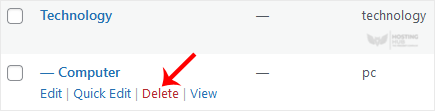
3. Hover your mouse over a category you want to remove and click on Delete. The confirmation option will appear. Confirm with OK.