1. Log in to your cPanel account.
2. In the Databases section, click on MySQL Databases.

3. Scroll down to the end of the page and under Add User to Database. Select a user from the drop-down list, and choose a Database from the list.
4. Click on Add.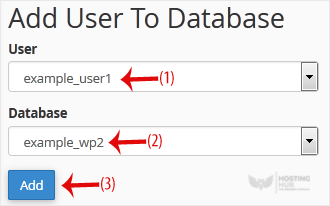
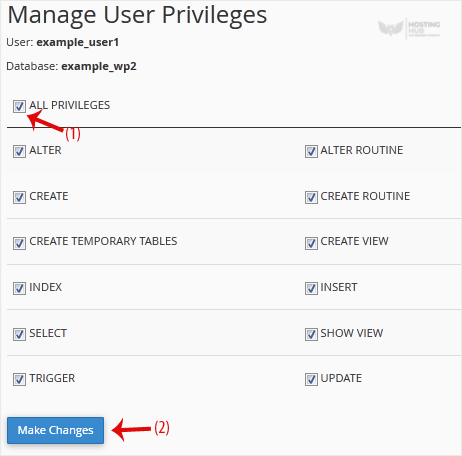
5. On Manage User Privileges. Mark the box ALL PRIVILEGES and click on Make Changes.