


Backing up is important, and you should do it regularly. Follow this tutorial to make a full backup of your website with cPanel.
1. Log in to your cPanel account.
2. In the Files section, click on Backup Wizard.

3. Under Backup or Restore, click on Back Up.
4. Under Select Partial Backup. choose one of the available backup options to create and download a backup of it. To download a Home Directory backup, click on Home Directory. 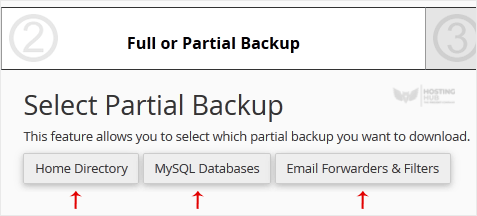
5. Now, click on Download.

