


You can easily restore a SiteWorx partial backup. Please, note that restoring such a backup will overwrite your existing data.
1. Log in to your SiteWorx account.
2. In the Backups section, click on Management.
3. Click on the three dots menu icon and choose Restore from a partial backup. 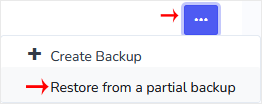
4. Choose the appropriate option from the drop-down menu and click Continue.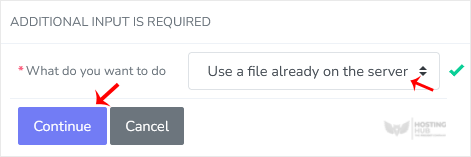
5. Click on Restore. If you have a partial backup file on your computer, choose Browse, select the file and confirm with Restore.

