


Sie können auf eine E-Mail mit Mozilla Thunderbird anstatt mit dem cPanel-Webmail antworten.
1. Öffnen Sie Mozilla Thunderbird.

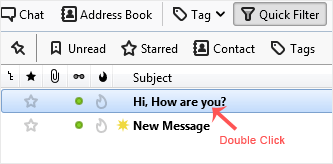
2. Klicken Sie zweimal auf die E-Mail, die Sie öffnen möchten.
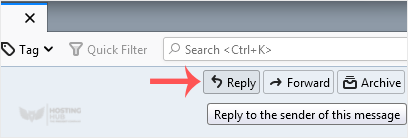
3. Klicken Sie im oberen Bereich auf Antworten.
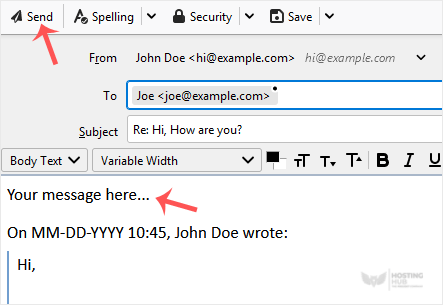
4. Geben Sie Ihre Nachricht in das Nachrichtenfeld ein und klicken Sie auf Senden.
So antworten Sie auf E-Mails in Mozilla Thunderbird
Back to Knowledgebase
Was this article helpful?
Related Articles
Cum să configurezi un cont de email cPanel în Mozilla Thunderbird Cum să verifici email-urile noi în Mozilla Thunderbird Cum să trimiți un email folosind Mozilla Thunderbird Cum să ștergi mesajele de email în Mozilla Thunderbird Cum să răspunzi la email în Mozilla ThunderbirdStill need help?
Open a support ticket →
