


Thunderbird is an email client software. You can work with it in the following way.
1. Open Mozilla Thunderbird.
2. In the left panel, you can see a list of your email accounts. Double-click on Inbox or if it is hidden, click on your email. It will expand to show the inbox, the trash list, etc. 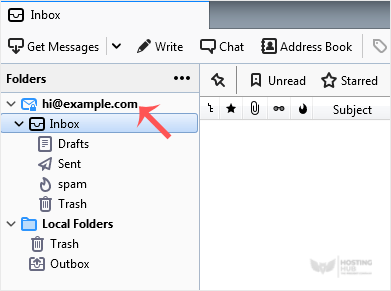
Another option is to right-click on the email address and choose "Get Messages".
Thunderbird also automatically checks email every 5 to 10 minutes. It also does that automatically whenever you open the program.

