



































1. Log in to your cPanel account.
2. In the Domains section, click on Redirects.

3. Under Add Redirect, you should enter the following details and choose the appropriate options.
Type: Choose Permanent (301) or Temporary (302).
https?://(www.)? Leave this as it is, or should you want to redirect a directory or a page, enter the name of your directory or a full page in the text box.
Redirects to: Points to where you want to redirect your current domain or a page.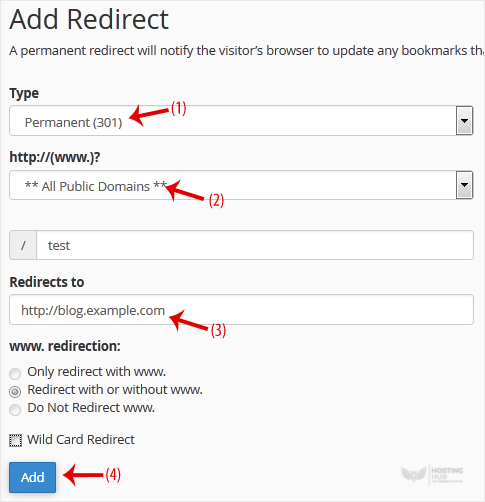
4. Click on Add.

