




































Poți redirecționa domeniul tău add-on către un alt domeniu.
1. Conectează-te la contul tău cPanel.
2. În secțiunea Domains, fă clic pe Addon Domains.

3. La Modify Addon Domain, localizează domeniul add-on și fă clic pe Manage Redirection.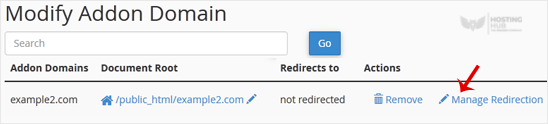
4. Introdu linkul către care dorești să redirecționezi domeniul add-on în câmpul de text disponibil.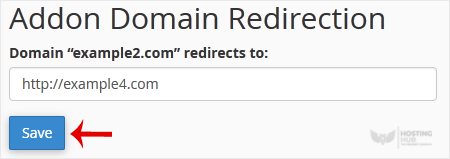
5. Fă clic pe Save.

